
web design

Why Headers Shape Visitor Flow in Albuquerque Web Design

How a website is laid out makes a big difference in how people use it. From the moment someone lands on a page, their eyes start searching for clues about where to go and what to do next. One of the most helpful tools we use to direct that movement is the page header.

Headers aren’t just larger words. They help organize the page and give each section a clear purpose. This kind of structure matters a lot for small businesses that need to show value fast. We’ve seen it time and time again with web design in Albuquerque. Visitors want answers quickly, especially when they’re looking on a phone or dealing with busy schedules. Headers help them get there faster.

Warm, dry springs in New Mexico often pull people away from laptops and onto mobile screens. That shift in browsing habits changes how well a site performs. When headers guide people through a page instead of slowing them down, it shows.

Why Headers Catch Eyes First

Before anything else happens on a page, people notice the headers. Even before the logo or menu, their focus often goes right to the biggest piece of text on screen. That’s why we always treat headers as key signposts.

  • Strong headers keep things organized. When there’s a clear title above each section, the page feels easier to understand. People can scan quickly instead of reading line by line.
  • Headers break visual noise. Without them, everything blends together. Visitors might lose interest because they don’t know what matters or where to go.
  • Confusing headers drive people away. When a header is too vague or doesn’t match what follows, users pause or back out. That tiny moment of hesitation can lead someone to click off the site.
  • Every BK Design Solutions site uses custom header hierarchy, helping small businesses present services and value clearly, using proven web structure best practices.

By setting a steady flow from one section to the next, good headers create momentum. The page feels like it has a path, not a puzzle.

Designing Headers for Local Habits

In Albuquerque, browsing habits shift with the season. By mid-May, days are warmer and longer. That means more quick check-ins on phones and fewer long sessions at a desk. We shape header designs with that in mind.

  • Phone-first reading changes spacing needs. Headers on mobile should be big enough to tap past easily, but not so large they crowd the screen. Finding that balance keeps users moving.
  • Outdoors affects color choices. With plenty of sunlight in Albuquerque, screen glare is more likely. High-contrast headers, both in color and font weight, help people read with less strain.
  • Font and layout should match usage. Lighter, wider-spaced fonts are easier on the eyes for mobile users outside. Dense text blocks in bright sun don’t work well. We lean into clarity.
  • BK Design Solutions applies color-contrast design tactics and font selections tested for mobile readability to make every header stand out in all light and usage settings.

Designing for how locals browse makes small changes feel big. A well-placed header with smart contrast and readable spacing turns a clunky experience into a smooth one.

Using Headers to Break Up Content Without Slowing People Down

When a page has too much text, it stops people. They glaze over it or scroll past it. Headers give readers permission to skip around and only stop where they want.

  • Breaking long sections into smaller chunks helps people scan. Headlines give each chunk meaning and tell the reader what’s coming.
  • Headers act like road markers. If someone’s looking for a phone number or product list, clear labels help them find it instantly without guessing.
  • But too many headers backfire. If every other paragraph has its own heading, the page starts to feel noisy. If the language is too tricky or vague, it adds confusion instead of clarity.

The best headers guide people without calling attention to themselves. They show what’s next but stay out of the way. Every click feels smoother when sections are naturally connected.

Connecting Headers to Button Placement and Calls to Action

A good header does more than label a section. It leads visitors right to the next step. Whether it’s booking a service, filling out a quote form, or reading a product list, headers set the tone for action.

  • Labels above buttons build trust. If a header says “Schedule Your Visit” and a button nearby says “Book Now,” people feel confident they’re on the right track.
  • Headers with action words can nudge people forward gently. Phrases like “Get Started” or “See Next Steps” stand out more when styled as headers.
  • Consistent styling matters. When headers and buttons follow the same spacing and design, users don’t feel jarred. Their eyes expect the flow and follow it.
  • BK Design Solutions integrates header, button, and section styling for seamless user journeys across service pages and landing pages.

We’ve found that the way a header leads into a button has a big effect on whether someone clicks or hesitates. And hesitation often ends the visit.

Header Mistakes That Kill Visitor Flow

Not all headers help. Some get in the way. We try to spot those patterns early in our design review.

  • Generic headers like “Info” or “More Details” don’t say enough. Visitors shouldn’t have to guess what’s under the heading. People move fast, and they won’t read if the label’s lazy.
  • Tone misfires, too. If the header sounds overly casual but the content is serious, it creates friction. Or the opposite, if the header is stiff and the following lines are relaxed, that mismatch stops the flow.
  • Spacing matters a lot. Headers placed too close make the page feel cramped. Headers spaced out too far look disconnected. We aim for rhythm, not randomness.

Being direct, clear, and steady with headers helps users trust the layout. That trust makes them stick around longer and makes next steps feel easier.

Why Smarter Headers Make Albuquerque Websites Work Better

When we get headers right, everything else tends to fall into place. Visitors know where they are, what’s coming, and what to do next. That kind of clarity matters for every site, but especially for small businesses in cities like Albuquerque, New Mexico, where mobile use and fast decisions play such a big role.

Strong headers help users stay on track. They guide without pushing. They organize without confusing. They let people skim without missing important stuff.

Most of the time, we don’t even notice headers doing their job. And that’s the point. When headers carry the flow of a page naturally, the site just feels easy to use. That’s exactly the experience we want to build.

Transform the way your customers experience your website with clear and effective headers designed to improve flow and engagement. At BK Design Solutions, we specialize in creating intuitive layouts that cater to Albuquerque’s unique browsing habits, ensuring mobile users can navigate your content effortlessly. Discover how our expertise in web design in Albuquerque can elevate your site and maintain visitor interest. Let’s make your site the best it can be today.

web design

How to Adapt Houston Web Design for Late Spring Visitors

Late spring brings a shift in how people use the internet, especially in Houston, Texas. The days are warmer, and many are either planning local outings or enjoying more time outside. As habits change, our websites need to keep pace. People are browsing more on their phones, often while on the move, and expectations around speed and usability rise fast with the temperature.

That is where the real value in seasonal adjustments comes in. Lightening up color schemes, refining navigation, and guiding attention with layout tweaks is not just about looks, it is about helping people get to what they need faster. This is especially true with web design in Houston, where outdoor activity and high mobility influence how and when sites are visited.

Update Visual Cues for a Lighter Seasonal Feel

Late spring has a visual language all its own. Users respond better to sites that reflect the season they are in. We start by looking at things that feel a bit too wintry and update them to reflect a fresher, cleaner design style.

  • Swap out darker banners, textures, or images that feel dated with clean, light palettes
  • Use photos of real-life Houston activities happening this season (parks, patios, festivals) to reflect what users are experiencing
  • Adjust image contrast and brightness for better visibility in sunny settings, especially for people browsing outdoors on mobile
  • At BK Design Solutions, every Houston website project includes seasonal recommendations and custom image updates to keep your site feeling current and local

When visitors see scenes that feel current and local, it builds trust fast. It shows the site is up to date and connected to their present moment. Matching visuals to the bright days and outdoor activity helps users feel comfortable and welcome as soon as they land on your site.

Navigation Should Match Warm-Weather Habits

Spring weather brings a more casual, mobile user. That means our menus and navigation flow need to reflect the way people are actually moving through content now. Fewer clicks, less guesswork.

  • Trim menu layers so everything feels quick to access from a thumb swipe
  • Make sure the most useful links during this season (like outdoor reservation tools or short-term promos) are easy to spot without scrolling
  • Cut back on visual clutter so site directions do not get buried in too many options
  • BK Design Solutions designs custom navigation and mobile-first menus for Houston businesses so users find what they need fast, no matter where they start on your site

People are skimming and tapping, not sitting down to sort through deep pages. Navigation that reflects those habits makes the whole experience feel smoother. The easier it is to see where to go next, the more likely users are to stay and find what matters to them.

Design for Speed and Practical Access

Increased outdoor browsing means slower networks and shorter attention spans. This is not the season for flashy animations or overloaded pages. Performance matters more than usual, and design choices have to support that.

  • Compress media files so pages load well on slow connections
  • Remove unused scripts, plug-ins, or animations that do not add real value
  • Bring the most important calls-to-action higher up on the page where mobile users find them fast
  • Every BK Design Solutions website is tested for mobile load times and clear call-to-action placement, making sure essential messages reach users instantly

These steps help reduce bounce rate from mobile devices and keep people engaged even when their connection is not perfect. We are building for use in real-life situations, like someone tapping through sites while walking their dog or waiting in line for coffee. This is the busy, everyday user who needs answers quickly, and fast sites are best at holding their attention.

Build Layouts That Fit Call-Ahead and Drop-In Users

Houston gets more casual traffic this time of year. Maybe it is someone already out running errands who wants to make a quick visit, or someone searching for options while they are out with family. Our layouts have to respect the spontaneous nature of those users.

  • Make phone numbers, address links, and maps easy to tap, no extra steps
  • Keep business hours or seasonal availability clearly visible without having to dig
  • Use bold section breaks and buttons that guide someone into taking action in one or two clicks

This kind of clarity fits well with the mindset of someone actively looking to shop, schedule, or pop into a location. We want to give them just enough helpful info without talking them out of it with too much text or confusion. Even regular local customers shift their habits in warmer months, and easy-to-use layouts help everyone get what they need with less frustration.

Making Your Website Work With the Weather

Late spring in Houston changes expectations. With more daylight, warmer weather, and less time spent indoors, people move through sites differently. A short load time or a clear button might be the difference between passing traffic and a real conversion.

It does not take a massive overhaul to do this well. A few smart tweaks to layout, flow, and message placement can help a site feel tuned in to what visitors want right now. Staying current is less about chasing trends and more about working with the season, just like changing a front window display to match what is happening outside. A layout that mirrors how visitors are spending their days outside makes every click and scroll feel more natural, and it keeps your content feeling real and relevant.

As spring transforms the vibrant city of Houston, ensure your website keeps pace with seamless, user-friendly updates. At BK Design Solutions, we specialize in creating streamlined, mobile-first web experiences that match the dynamic nature of the season. By enhancing navigation and layout, our team can help your site meet the needs of users on the go. Discover how our smart approach to web design in Houston can help elevate your business online. Contact us today to get started on your site refresh.

business site

What’s Slowing Down Albuquerque Business Sites Right Now?

Spring in Albuquerque comes with a shift in pace. People spend more time outdoors, phones in hand, looking for quick answers or making fast decisions. That shift also shows up in how business websites need to work. If a page drags or the layout feels clunky, users don’t wait. They move on. We’ve noticed that as soon as warm weather hits, expectations for speed and simplicity go up.

That’s where smart layout choices and clean design become more important than ever. With more visitors using mobile, and with seasonal promotions in full swing, timing matters. Through our work in web design in Albuquerque, we’ve seen how small problems, slow images, messy layouts, or outdated tools seriously block what might have been a great spring offer.

Why Site Speed Feels Slower in Spring

As days warm up, we see more mobile traffic across most local sites. That’s good news, but it also means more visitors are coming in from public wifi spots or with slower mobile data, which exposes weaknesses in a site’s speed.

Here’s what we often notice:

  • Sites loaded with high-resolution images or extra plugins that slow down refresh times
  • Rushed spring promotion updates that weren’t compressed or tested for performance
  • Video banners, timers, or social media embeds added at the last minute that eat loading speed

We’ve found that even a small design delay can turn away a visitor who’s just trying to book an appointment before lunch or grab a quick deal. Spring energy means people act fast. A slow homepage doesn’t stand much chance.

Design Overload Is Hurting Performance

It’s normal to want your site to look fresh during the new season, but there’s a tipping point where design starts to get in its own way. We’ve seen business sites packed with movement, stacked event banners, and constant pop-ups fighting for attention.

The most common issues include:

  • Heavy animations or layer effects that take a while to load
  • Widgets from third-party services like booking calendars or event platforms that drag down speed
  • Leftover visuals from winter, holiday graphics, dated fonts, expired banners, still taking up space

At that point, your message gets buried. Visitors aren’t sure where to look, or they simply don’t wait for the screen to settle. Cleaning up these leftover pieces and limiting distractions makes a big difference in how useful the page feels.

Not Enough Mobile Focus

We always expect some sites to lag behind when it comes to mobile readiness, but it’s surprising how many local businesses still run designs that don’t flex on smaller screens. And during spring in Albuquerque, that shortfall shows fast. People swipe, tap, and scroll their way through decisions. If a button is too small or an image doesn’t render right, they’ll give up.

Here are the issues we see most often:

  • Fonts that shrink too much on mobile or wrap awkwardly across banners
  • Buttons placed too close together, making it hard to tap without zooming
  • Old layouts that were built for desktop and never updated
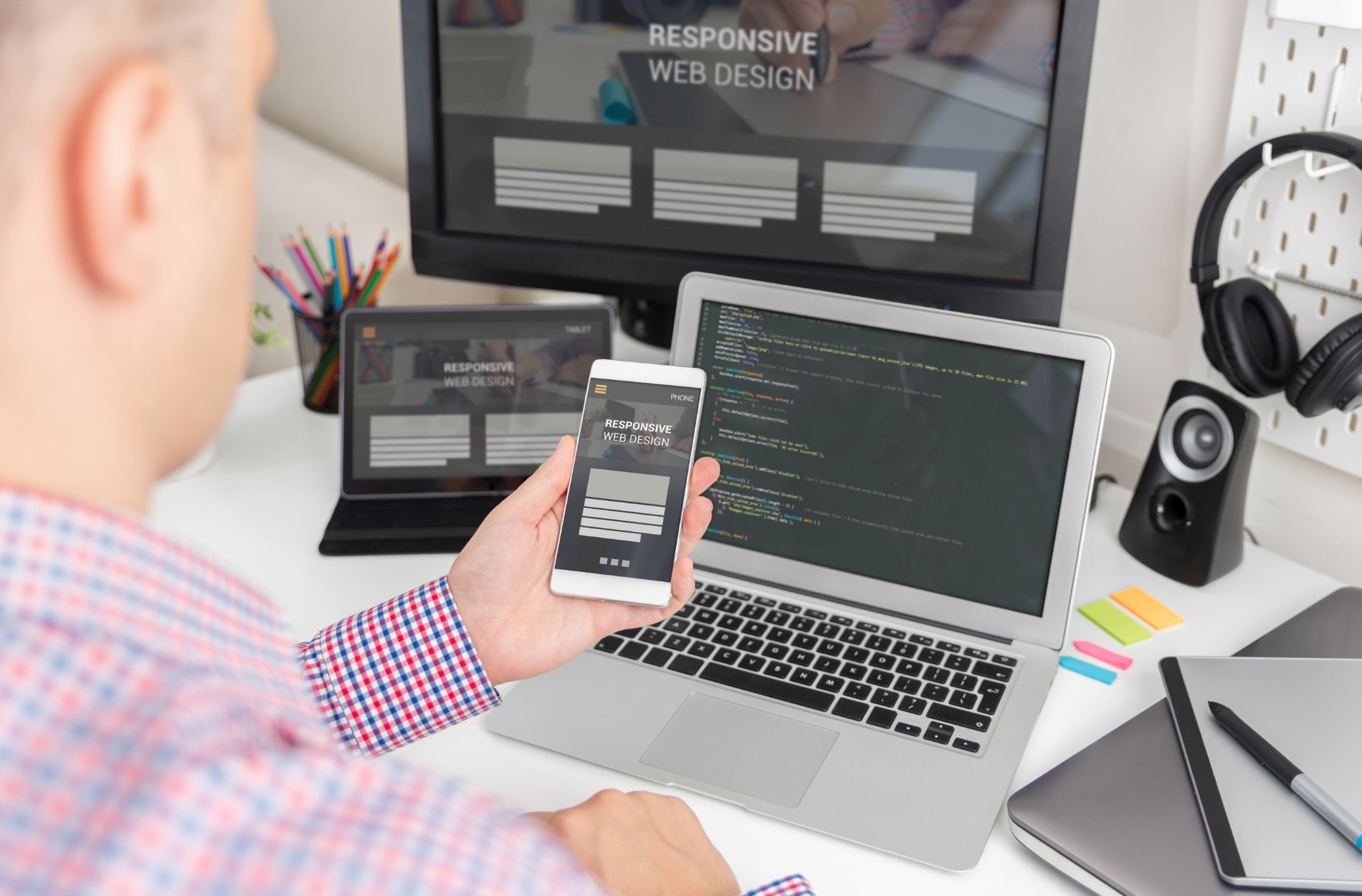
  • Each BK Design Solutions website is built responsive and mobile-ready to prevent common layout pitfalls and make sure your content connects on any screen

Even simple fixes, like reworking padding, increasing font weights, or spacing out calls-to-action, can help. When your site meets users where they are (usually outdoors, on their phones), it’s easier to get them to stay long enough to act.

Slow Hosting or Outdated Platforms

Another thing slowing down local Albuquerque business sites is what’s happening behind the scenes. Many sites still run on older website platforms or use lower-cost hosting that just can’t keep up with spring updates.

These issues usually show up in a few ways:

  • Large files like slideshow transitions or video headers that don’t load well on basic hosting
  • Cluttered back ends filled with unused plugins or scripts left behind from past campaigns
  • Spring updates that aren’t coded or uploaded correctly, leading to errors or layout breaks
  • At BK Design Solutions, we always advise on modern, secure hosting environments and streamlined platforms, focusing on systems that can handle frequent changes and seasonal surges

When a simple product page takes too long to load or cuts off at the fold, that’s a sign things need more attention under the hood. Faster platforms with cleaner setups let the layout do its job instead of getting bogged down by backend delays.

Getting Things Back Up to Speed

Most of these site slowdowns come from trying to add too much too fast. But helping things move quickly again doesn’t mean stripping it all down. A clean look, seasonal updates, and flexible design blocks can still work well together.

From what we’ve seen with web design in Albuquerque, the right approach lets you keep campaigns fresh without slowing people down. That often means:

  • Starting with the offer or action you want people to take, then building the layout around that
  • Keeping mobile use top of mind, always
  • Testing new features for speed before launch and removing what no longer helps
  • On every project, BK Design Solutions reviews images, plugins, and layouts for speed, trimming clutter and optimizing each round of seasonal edits

When spring momentum is on your side, the layout just needs to stay out of the way. A site that loads fast and feels easy to use makes it more likely your visitors will stick around and act. Letting go of old seasonal clutter, trimming down extras, and keeping things focused makes the real difference this time of year.

Spring is the perfect time to revamp your online presence and ensure your website is running at peak performance. If you’ve noticed a slowdown in your site, don’t wait to make necessary updates for speed and efficiency. At BK Design Solutions, we specialize in creating streamlined, effective web design in Albuquerque that improves user experience and engagement. Contact us today to make the most of the new season with a website that’s ready to impress.

web design

How to Solve Common Web Design Challenges for Small Businesses

Creating a visually appealing and functional website can be quite the hurdle for small businesses. Many entrepreneurs face several obstacles that make web design feel like a steep hill to climb. From budget constraints to limited technical know-how, small businesses often find themselves tangled in a web of challenges. Navigating these hurdles is important because a well-designed website isn’t just a nice-to-have–it’s a crucial part of any business strategy. A great website can attract more customers, keep visitors engaged, and boost your business’s presence online, especially in a vibrant place like Albuquerque.

Every small business dreams of having a website that reflects its brand while being user-friendly and optimized for search engines. Why is this such a challenge? Often, it’s due to constraints like a tight budget or insufficient technical resources, which can make design and development seem daunting. When businesses overcome these challenges, they don’t just improve their sites but also enhance their opportunity to stand out to web users in places like Albuquerque.

Common Web Design Challenges

Small businesses commonly encounter several stumbling blocks when designing a website. One major challenge is working within a limited budget. Many businesses have to prioritize their spending, which often leaves little room for elaborate web design features and tools. Some also struggle with a lack of technical knowledge, which can be a significant barrier to creating a site that functions smoothly and effectively. This lack of expertise can lead to sites that aren’t optimized for viewing on various devices, or that fail to load quickly, turning potential customers away.

Another challenge is time management. Many business owners wear multiple hats and simply don’t have enough time to invest in learning and implementing effective web design strategies. With so much on their plate, web design can become an overwhelming burden.

These issues can significantly affect local small businesses in Albuquerque, hindering their online engagement. When customers find it hard to navigate or interact with a site, they’re likely to leave quickly, and businesses miss out on valuable leads and engagement opportunities. But don’t worry, solutions are just around the corner. Addressing these challenges effectively can transform your website from a headache into a powerful tool for growth.

Practical Solutions for Web Design Challenges

Addressing common web design challenges requires practical solutions that cater to the needs of small businesses. Starting with budget constraints, prioritizing is key. Focus on what your site truly needs to function effectively. Start by identifying core features that align with your business goals. This could include a streamlined homepage, easy navigation menus, or a section for customer testimonials.

When it comes to limited technical skills, outsourcing can be a game-changer. Partnering with professionals ensures your website is not only functional but also visually appealing. It frees up your time to focus on running your business while ensuring that experts handle the technical side of things. This approach not only guarantees quality but often results in more efficient solutions.

To make the most of your time, consider these steps:

  • Create a clear action plan outlining design priorities.
  • Set achievable milestones to monitor progress.
  • Allocate specific times in your schedule dedicated to web development discussions.

Importance of SEO in Web Design

SEO plays an integral part in the success of a small business website. It’s the bridge that connects potential customers to your website via search engines. By optimizing your site, you enhance visibility and ensure your business stands out in search results when customers in Albuquerque are looking for services you offer.

Here are some simple SEO tips:

  1. Use relevant keywords naturally throughout your website content, including headers and image descriptions.
  2. Write clear and concise meta descriptions for each page.
  3. Ensure your website is mobile-friendly, as many users will access your site via smartphones or tablets.
  4. Speed up your site’s loading time to keep visitors engaged.

By focusing on these aspects, you not only improve your site’s performance on search engines but also provide a better user experience for those visiting your website.

Benefits of a Well-Designed Website

Achieving a well-designed website can lead to numerous advantages for small businesses, particularly in terms of user engagement and conversion rates. A site that functions smoothly and looks great is likely to keep visitors around longer, exploring more of what you offer. This engaged browsing can result in higher chances of converting casual visitors into loyal customers.

Additionally, a professionally crafted website bolsters your brand’s image, allowing you to convey trustworthiness and credibility. For businesses in Albuquerque, it means better local visibility and the potential to connect with community members actively seeking your services. This connection helps build a loyal customer base, one that can advocate for your business through word of mouth and online reviews.

Ready to Enhance Your Website?

There’s immense value in addressing web design challenges effectively. By understanding and implementing the steps necessary to overcome these hurdles, small businesses can greatly enhance their online presence. In the fast-paced environment of the internet, a carefully crafted website is a powerful tool that can significantly boost growth and engagement.

Taking these steps is crucial for any business looking to make an impact in Albuquerque. Embracing these solutions will not only help fix current issues but prepare your site for a brighter digital future.

Thinking of stepping up your online presence with professional help? Explore our offering for web design in Albuquerque and discover how BK Design Solutions can create a custom, SEO-friendly site tailored to your business needs. Let’s bring your vision to life and set your business apart from the competition.

buttons

Understanding Button Placement on Houston Websites

When people in Houston start moving more in spring, websites need to keep up. Longer days, warmer temperatures, and mobile habits can all shift how someone interacts with a site. If a page makes someone pause or squint, they’re likely to move on. That’s especially true for buttons, where one small tweak can change whether someone clicks or bounces.

We spend a lot of time thinking through these patterns. Button placement isn’t just about looks, especially in a city like Houston, Texas, where different screen sizes, on-the-go usage, and fast decisions shape how your users move through content. Getting it right comes down to watching that flow and knowing when someone is ready to act. Button placement often goes unnoticed when done well, but becomes a big problem when ignored.

Button Placement Affects Focus and Flow

The first button someone sees should match what they expect. Not what we think they need next, but what they likely came there to do. When buttons are off, it feels like hitting a dead end.

People don’t read websites like books. Desktop users skim in an “F” shape, landing hard on headlines, scanning left to right, then dragging their eyes down the edge. Mobile users scroll in shorter bursts, and their eyes work more vertically. The way a button interrupts that path makes a difference.

Good button spots usually follow predictable placement:

  • Top-right or top-center works well for actions like booking or signing in
  • Sticky buttons (those that stay put as you scroll) keep actions in reach
  • Avoid hiding important actions in footers, sidebars, or dropdowns

A button that is where people expect it keeps everything running smoothly. If someone lands on your site trying to book, reach out, or learn more, making those paths clear speeds up the process. When a button stands out and sits where users expect, it quietly pulls them in without disruption. This means less searching and more doing, creating a steady flow across your content.

Mobile Users Rule Spring Screens

Spring changes how people browse. In Houston, screen time shifts outdoors. People are more likely to look something up on a phone than sit with a laptop inside. That means mobile-friendly layouts aren’t optional in this season.

We adjust our approach by thinking about how people actually hold and use their phones. Most tap with thumbs and skim with one hand. If a button is tiny or far from reach, they’ll miss it. It is easy for users to lose patience if their finger lands in the wrong spot over and over.

Here’s what helps buttons work better for springtime mobile users:

  • Larger buttons with enough space around them to avoid tapping the wrong thing
  • High-contrast text so buttons pop clearly outdoors in sunlight
  • Action buttons (like Buy Now or Call Today) moved into the middle or lower part of the screen to match natural scrolling behavior
  • At BK Design Solutions, our custom Houston websites include mobile-friendly calls to action and thumb-friendly spacing so users can always take the next step with ease

Easy-to-spot buttons at the right size are the fastest way to improve mobile experience when users are on the go. We try to bring key actions into clear sight without asking the user to scroll or guess. A few pixels make a big difference when someone’s on a lunch break or standing in line. Simple changes, such as adjusting button size and moving call-to-action spots closer to where users tap, allow businesses to meet people right at their moment of need.

Seasonal Timing Adds Pressure to Click

Spring campaigns often come with limited-time language. Think about booking before a sale ends or grabbing a spot before a deadline. Button design needs to support that kind of urgency.

We’ve seen layout decisions either help or hurt time-sensitive actions. If a page is packed too tight, the button can get lost. If spacing feels too wide, the message loses momentum. Every line and gap matters. Striking the right balance between too much space and not enough makes each click feel right.

To support time-based calls to action, we use tactics like:

  • Strong button colors that contrast clearly with the background
  • Clear, short action phrases like “Sign Up Today” or “Claim Your Spot”
  • Visual cues like countdowns or banners near the button area to create a sense of motion

People move fast in spring. They’re more active, more distracted, and more decisive. A button that pops can tip the balance between hesitation and action. Designing for urgency doesn’t mean clutter but making sure that every step toward the action feels necessary and direct. This is especially important for seasonal events, special offers, or urgent service requests.

Guiding people to act sooner starts with giving them the right next step, clear as day, at the right moment. Button placement, spacing, and color must work together so the sense of urgency feels helpful and not forced. Getting visual signals right encourages quick action without pressure.

Button Placement and Multi-Step Pages

Sometimes, a user isn’t taking just one action. Maybe they’re filling out a form or customizing a product. That adds layers to the button planning.

Pages like this work better when we think about rhythm. A “Next” button should land where their eyes already are, not just where it fits in the layout. A “Submit” button shouldn’t be a mystery. If people have to scroll or guess where to go next, they drop off.

Some things we always try to follow:

  • Place navigation buttons (Next, Back, Confirm) in consistent areas from screen to screen
  • Keep button styling the same through the process to avoid confusion
  • One button per screen whenever possible, so users don’t have to choose
  • BK Design Solutions often recommends keeping calls to action simple and singular on each page for our Houston clients, which helps reduce choice fatigue and keeps the booking flow moving

Multi-step pages work best when each button feels purposeful and easy to spot. By keeping things visually consistent and giving only one action per screen, users are never left wondering. This simple structure matters even more when using small devices with less space. Designing for one action at a time brings peace of mind, lets each page load faster, and helps users get to the finish line without backtracking.

Every extra choice adds pressure, which can slow things down. A clean path with steady button placement makes longer flows feel shorter. Easy movement from step to step reduces frustration and helps users stay engaged. This is especially important in the busy season, when every click counts.

Small Fixes Add Up

Spring doesn’t wait around, and neither do web visitors. That’s why button placement needs to keep pace. When our layouts match real behavior, we’re not just guessing what looks nice. We’re stepping into the flow and helping people move through with less noise.

In Houston, where daily activity shifts with the seasons, small tweaks in layout and interaction go a long way. The way a button sits on the screen and how it fits into the rhythm of a mobile scroll can change how someone feels about the site.

Good button placement helps in a few key ways:

  • Makes choices clearer and faster to spot
  • Builds trust through predictable design
  • Guides without distracting or pushing

We often hear that a website should “just work,” and well-placed buttons are part of that. When we design with purpose, even the smallest changes create smoother steps and better outcomes. In a fast-moving season like spring, those wins matter.

Is your website ready for spring’s mobile habits? Let BK Design Solutions help with smart button placement and seamless flow that adapts to the season. Our expertise in web design in Houston ensures your site isn’t just functional but optimized for real-world usage. Connect with us today to give your users a seamless experience on the go.

website downtime recovery

Website Downtime Recovery Checklist for Small Businesses

When Your Website Vanishes: Stay Calm and Take Control

Your website going down in the middle of a busy day can feel like the floor just dropped out from under your business. One moment everything is running smoothly, the next you are staring at an error page and wondering how many sales, bookings, or leads you are losing by the minute. Whether you are serving customers in Albuquerque, Houston, or anywhere else, even a short outage can interrupt cash flow and shake customer trust.

Outages can cost you in several ways: lost online orders, missed contact form submissions, frustrated customers who click over to a competitor, and doubts about how reliable your business really is. The good news is that downtime does not have to turn into a disaster. With a clear website downtime recovery plan, you can stay calm, take control of the situation, and limit the damage.

In this article, we walk through a practical website downtime recovery checklist. We cover your first five minutes, how to coordinate with your web team and host, how to keep customers in the loop, what to do after the outage, and how to come out of the experience with a stronger, more reliable online presence.

First Five Minutes: Confirm the Outage and Gather Facts

The first step in website downtime recovery is to confirm what is actually happening. Sometimes the problem is not your website at all, but a local network issue, a browser problem, or a short-term hiccup with your internet provider.

Start by checking your site on a few different setups. Try your phone on mobile data, a laptop on Wi-Fi, and a different browser. Use an independent online tool that checks websites from multiple locations to see if the site is down for everyone or just for you. Note the exact time you first noticed the problem. This timestamp will help your hosting provider and developer trace logs and identify the trigger.

Next, look at your hosting and domain. Log in to your hosting dashboard to see if there are outage notices, maintenance alerts, or resource limit warnings. Then confirm that your domain registration is still active and your DNS settings have not changed unexpectedly. If you see any error messages or system status pages, take screenshots so you have a record.

This is also the moment to secure your access. Check that you can sign in to your hosting account, domain registrar, and content management system. If you suspect anything related to hacking or malware, change passwords to strong, unique ones immediately. Make a quick list of any recent changes, such as:

  • New plugins or extensions added  
  • Updates to your CMS, theme, or server software  
  • Code edits made by you or your developer  
  • Recent migrations to a new host  

Those details often point directly to the root cause.

Coordinating with Your Web Team and Hosting Provider

Once you know the outage is real, bring in your support team. The faster you communicate, the faster your website downtime recovery moves forward.

Reach out to your web designer or developer with a clear, concise description. Share what you see on your screen, when the issue started, any error codes, and the recent changes you listed. Then open a support ticket with your hosting provider and include:

  • Screenshots of error messages or blank pages  
  • The exact time the problem began  
  • Any tools you used to confirm the outage  

When you talk to your web team or host, ask specific questions to avoid vague answers. For example:

  • Is this a server issue, DNS issue, or something in the site code?  
  • Is there a recent backup you can restore if needed?  
  • Do you expect any data loss, like form submissions or orders?  

As they respond, document everything. Keep a simple log with dates, times, who you spoke with, and a quick summary of what they said. Save ticket numbers, emails, and chat transcripts. This record is extremely valuable later when you refine your website downtime recovery checklist and decide if you need changes to your hosting or maintenance strategy.

Keeping Customers Informed While You Fix the Problem

While the technical work is happening behind the scenes, you still have a business to run. Your customers need to know what is going on and how they can reach you in the meantime.

Start with short, clear updates on your main channels, such as your social media profiles and your Google Business Profile. Let people know that your website is experiencing issues, that you are working on a fix, and how they can contact you right now. Avoid technical jargon. Your customers do not need to know about DNS or servers; they just want to know how to book, order, or get support.

If you have an email list, send a brief message that explains:

  • The site is temporarily unavailable  
  • Alternate ways to reach you (phone, direct email, physical location)  
  • Any impact on orders, appointments, or response times  

Make business as easy as possible during the outage. Share direct contact options that do not rely on your main website:

  • Phone numbers or text lines  
  • Direct email addresses for sales or support  
  • Links to online calendars, order forms, or payment tools hosted elsewhere  

Pin your most important updates to the top of your social profiles so customers see them first. Be ready to respond politely to comments and questions, even if people are frustrated. Once your site is back online and tested, post a short follow-up note to let everyone know things are stable again.

After the Outage: Fixes, Backups, and Prevention

Getting your homepage to load again is not the finish line. The next step in smart website downtime recovery is to make sure the entire site is stable and that you understand what went wrong.

Do a quick walk-through of your website. Test:

  • Key pages like your home page, services page, and contact page  
  • Forms and quote requests  
  • Checkout or booking flows  
  • Login areas for customers or staff  

Check how the site feels. If it is unusually slow or throwing small errors, share that with your developer or hosting provider. Look at your analytics and any uptime monitoring tools you have. Confirm that traffic, form submissions, and orders appear to be returning to normal patterns.

Then, sit down with your web team or host to review the cause. Was it:

  • An expired or misconfigured domain  
  • A problem with your hosting server  
  • A vulnerable or poorly built plugin or theme  
  • A spike in traffic that overwhelmed limited resources  

Identify what was preventable and what was outside your control. Update your internal notes with these details, along with what worked well and what slowed you down. This reflection is how your website downtime recovery process gets faster and less stressful next time.

Finally, strengthen your foundation. At minimum, confirm you have:

  • Automatic backups running on a reliable schedule  
  • A tested process to restore from a backup  
  • Uptime monitoring that alerts you quickly when the site is down  

Depending on what caused the outage, you may also want to look at better hosting, stronger security practices, or a professional maintenance plan. At BK Design Solutions, we often help small businesses in Albuquerque, Houston, and beyond set up practical systems that reduce the chances of repeat downtime.

Turning a Scare Into a Reliable Recovery Plan

A website outage can feel like a crisis, but it can also be a wake-up call that leads to better systems and more peace of mind. With a structured website downtime recovery checklist, you can move from panic to action, shorten outages, protect revenue, and show customers that your business is organized and reliable even when something goes wrong.

We recommend documenting your own step-by-step plan based on the sections above. Include clear instructions for confirming an outage, key login details stored securely, and up-to-date contact information for your hosting provider, domain registrar, and your web partner like BK Design Solutions. Share a simple printed and digital copy with your team so anyone can start the process if the site goes down. That way, the next time your website vanishes, you will not be guessing what to do, you will already have a plan.

Get Started With Your Project Today

If your site has gone down or you are worried about the next outage, we are ready to help you stabilize and protect your online presence. Explore our tailored website downtime recovery services to quickly restore functionality and prevent future disruptions. At BK Design Solutions, we work closely with you to identify root causes, harden your infrastructure, and build a reliable plan for emergencies. If you are ready to move forward, contact us to discuss your needs and timeline.

visual clutter

Solving Visual Clutter on Houston Small Business Sites

When a small business website feels hard to read or navigate, clutter is often the reason. In a large, busy city like Houston, attention spans are short, and competition is high. A site that’s too loud or packed with elements can drive visitors away before they even look around. As we move into spring, many Houston businesses start thinking about updating their websites. It’s a good time to look at what’s working visually and what isn’t.

One of the most common issues we notice when talking to companies thinking about web design in Houston is clutter. It sneaks up easily. A few extra colors here, a handful of buttons there, and before long, the homepage starts to feel more crowded than helpful. Cleaning that up doesn’t mean making the site boring. It means making every element count for the user. Removing clutter also helps site visitors move faster without distractions getting in their way.

Why Visual Clutter Happens Without Planning

Not every business sets out to create a cluttered site. These things tend to build up over time. Some sites try to pack too much information into one place, especially the section users see first. There’s a rush to show everything at once: services, reviews, calls to action, and contact details, all loaded above the fold.

Here’s what we often see cause problems:

  • Too many bright colors competing for attention
  • Multiple font styles and sizes layered over photos or patterns
  • A layout that tries to cover every message instead of guiding people step by step

Without a clear visual plan, it’s easy for parts of the page to repeat or push on each other. Stacked columns, overlapping boxes, and floating widgets can turn what should feel like a welcome into something that feels more like a puzzle. 

Every extra graphic or animated feature can pile up, making it harder to direct users to what matters most on the site. Sometimes, well-intended design elements get added one at a time, and soon the site feels heavier with every small addition.

Common Features That Add Confusion

Some site tools are helpful, but when they show up all at once, things get messy. A mobile visitor landing on a page could be hit with a pop-up, an auto-playing video, and a chat bubble all before they scroll. That’s a lot to process within seconds.

Clutter like this slows people down more than it helps:

  • Auto-play videos that interrupt quietly reading headlines
  • Float-over chat tools that block content or tabs
  • Menus with too many categories that make it hard to know where to click

Large banner images stacked up high on the hero section can feel overwhelming, too. These may look sharp in a designer’s preview, but when layered with buttons and text blocks, they start to fight for attention. 

A visual mess makes it harder for people to find what they came for. Sometimes pages with too many interactive features confuse visitors instead of guiding them. It’s important to keep only helpful features and put them in places where they don’t interrupt the basic experience. If visitors are distracted by elements they are not looking for, they leave before finding what they need.

Design for Mobile First in a City Like Houston

Houston traffic doesn’t just live on the roads; it shows up in data, too. A growing number of users search from phones, and they expect a clean, usable website, especially in the spring when people are more active and on the go.

We think about how someone might browse from their car (not while driving, of course), from a lobby, or while walking across a parking lot. That context helps shape design decisions. People need information fast, and if mobile sites slow them down, they move on quickly.

Here’s what mobile-friendly really means:

  • Large font sizes that are easy to read without zooming
  • Buttons placed far enough apart so your finger lands where you expect
  • Simple page layouts that keep content flowing naturally from top to bottom

Mobile-first designs favor directness and simplicity. They cut out extra steps so every tap counts. Good mobile layouts also mean fewer support calls or complaints from users. By building for mobile first, you make things easier for all types of users, not just those on their phones. You also help your website load faster, which matters in a city as fast-paced as Houston. 

Mobile first doesn’t just help users. It makes the whole site feel tighter, cleaner, and more thoughtful. Users don’t want to figure out how to use a website. They want to move through it without being slowed down, and that starts with simple, mobile-friendly web design. This approach works well in Houston, where spring brings out more movement and quick browsing.

How a Clean Visual Layout Builds Trust

The more polished your layout feels, the more reliable your business seems. Visitors can’t always explain why a clean design makes them feel better; it just does. That feeling matters, especially when choices are being made fast.

Organized, consistent pages build subtle trust:

  • White space gives the eye a break, helping users focus on one thing at a time
  • Color consistency backs up your brand and avoids confusion
  • Predictable patterns help people learn to move through your site with more comfort

Even small adjustments can make a big difference. For example, keeping all your call-to-action buttons the same style or using aligned spacing between sections helps the whole site feel easier to use. Sites with too many mismatched headings or scattered designs seem less reliable, even if the business is great in person. 

By removing what isn’t needed, you show visitors you care about their experience and respect their time. When the visuals are in order, and each section flows smoothly, visitors are more likely to trust what they see and move toward taking action.

A Cleaner Site Leaves a Stronger Impression

A clean site respects the visitor’s time. It helps guide people quickly toward what they’re looking for, whether that’s a product, a service, or a contact page. When clutter gets out of the way, every part of the business looks stronger and more confident. Simplicity makes people feel comfortable, and it gives your website more space to breathe and to showcase what you do best. As a result, visitors spend less time trying to figure out where to go or what to read and more time connecting with your message.

Houston site visitors don’t want to be overwhelmed. They want clear answers and smooth interactions. Spring is when people start putting off less and acting more. So when your site works without distractions, you’re in a better spot to meet them when they’re ready.

Simple design makes space for users to breathe, think, and choose with less effort. When done well, the design fades into the background so people can focus on what actually matters to them. And that’s when your website does its job. Sites that load quickly, show crisp visuals, and are easy to navigate will always make a stronger impression on visitors. By reducing clutter and improving flow, your site can better support your business goals as things pick up during the busy spring season.

A clean, well-designed website can make a strong impression, enhancing user experience and building trust with your audience. At BK Design Solutions, we specialize in crafting engaging, user-friendly sites tailored to the needs of your Houston business. Whether you’re updating an old site or starting from scratch, our expertise in web design in Houston can help you connect with more users and grow your business. Contact us today to create an online presence that truly reflects your brand.

website footer

What Albuquerque Businesses Overlook About Footer Design

Sometimes the smallest parts of a website can have the biggest impact. The footer is a good example. People often treat it like a place to drop standard links and forget about it. But when you think about how people use websites, especially those searching on their phones or checking in late at night, the footer becomes more important.

In our work with web design in Albuquerque, we’ve seen how overlooked footers leave gaps that take away from the user experience. Whether it’s a missed phone number or no clear way back to core pages, these gaps can mean a visitor walks away instead of staying. And in a city where small businesses rely on strong local connections, every click matters.

The Footer Sets the Tone at the Bottom

When someone makes it all the way to the bottom of your site, they’ve given you time. The footer is your chance to leave them with a clear and helpful final impression. A thoughtful layout tells visitors they’ve reached the end and that you’re still paying attention to the details.

If a footer is clean and complete, it brings a sense of trust. It signals that the rest of the business operates with that same care. On the other hand, if the footer feels like a leftover block of clutter, it does more than look bad. It can make the whole site feel incomplete.

  • A good footer answers lingering questions, like where you’re located or how to contact you
  • When pages end neatly, visitors often feel more satisfied, ready to take action
  • A broken or empty footer can signal that a business isn’t keeping up or doesn’t welcome contact

Simple touches like spacing, readable font sizes, and clear links help people navigate with less stress, especially at the very bottom of a page.

What Albuquerque Businesses Commonly Leave Out

Many New Mexico websites forget how much visitors rely on footers to get their bearings. We’ve noticed a few things that often get skipped. Alone, each one might not seem like a big deal. But together, they create friction that can push someone away instead of drawing them in.

  • Leaving off your phone number or business hours makes it harder for people to reach you when they’re ready
  • No links back to core pages means wasted time hunting through the menu again
  • Ignoring social media or a Google Business Profile link means fewer ways to verify trust

All of these missing pieces are easy to spot once someone points them out. But they’re just as easy to miss if no one’s looking. And when you’re running a business in a city like Albuquerque, where word-of-mouth moves fast and many customers are locals, those details carry weight.

Mobile Users Need Footers Too

As spring brings warmer days in Albuquerque, more people are out and about using their phones instead of desktops. That shift makes footer design on mobile even more important. The page ends right there, you don’t scroll further. And yet, too many mobile footers feel like an afterthought.

Buttons that are too small to tap or links crammed too tightly together frustrate users trying to reach you on the go. And when users are scanning with one hand and distracted by their surroundings, they’re not going to work hard to find what they need.

  • Space out links so they’re easy to tap without hitting the wrong one
  • Include your location and a click-to-call number right where fingers can reach
  • Think beyond looks, consider how it feels to interact with the page using only thumbs

If your footer makes someone stop and think about how to use it, there’s a good chance they’ll leave. A footer that’s smooth and clear gives your visitors the confidence to take the next step.

Local Trust Cues Matter

Trust goes a long way, especially for small businesses in Albuquerque. And trust isn’t just built with logos or phrases like “trusted since 1995.” It’s built with clear signals that someone lives and works here and knows how to serve local people well. Your footer can help do that.

Mentioning neighborhoods, service areas, or nearby landmarks shows people you’re part of the community, not just a website floating online. It also gives search engines extra context, helping more potential customers find you.

  • Add your full address and zip code to reinforce location relevance
  • Link to your privacy policy and any service guarantees that apply
  • Include buttons or logos for review sites that local customers trust

None of these details need to take up much space. But when someone scrolls to the bottom and sees them all in one place, it sends a quiet but solid message: you’re real, you’re local, and you’re ready to help.

Small Details like Footers Make a Big Difference in Albuquerque

No one visits a website just to see the footer, but that little section often shapes how people feel on their way out. It’s the point where questions get answered, doubts fade, or goals are either met or abandoned. A strong footer closes the loop and helps your visitors move forward.

For Albuquerque businesses, spring is a time when customers pick up the pace and start fresh projects. That includes finding local services. A clear, mobile-friendly footer tied to your local presence helps keep people from clicking away too soon.

Small changes in your footer can lead to a stronger connection with visitors. And when the page ends on the right note, everything above it feels better too.

Ready to transform your website’s footer into a powerful tool for connecting with your local audience? Let BK Design Solutions help you enhance your site’s user experience with our expertise in web design in Albuquerque. Our tailored strategies ensure that your footer not only looks good but also functions seamlessly, improving trust and customer retention. Connect with us today to start optimizing your site for success.

web design

How Scrolling Behavior Changes Web Design in Houston

Scrolling is something we all do without thinking much about it. Tap a link, thumb the screen, and just like that, we’re moving through a website. In a city like Houston, where things don’t slow down, scrolling shapes how we build and update sites. Spring only speeds things up. People are outside more, checking their phones between events, errands, or in line somewhere. That quick motion changes how we design pages and arrange content.

When we think about web design in Houston, we think about pace. Not just how fast a page loads, but how fast someone moves through it. A design that felt solid in winter can start to feel slow once the days get longer and life picks up. As scrolling habits shift with the season, the design has to shift too.

Understanding Scrolling Habits in Houston

Spring in Houston brings sunshine, outdoor plans, and quicker online habits. People use their phones more when they’re out and about. Whether someone is on the patio at a coffee shop, walking through a park, or waiting for a food truck order, they’re scanning, not settling in for deep reading.

This means most visitors aren’t reading every word. They’re skimming, trying to find that one thing they need: a service, an address, a contact button. The design has to respect their time and their habits.

  • Keep descriptions short and put key facts near the top
  • Use mobile-friendly layouts that load fast and feel easy to swipe
  • Break up heavy blocks of text with quick highlights or images
  • Give people visual breaks so they don’t scroll past what matters

Design should fit the mood of the season. In spring, that mood is active and mobile.

The Rise of Long-Scrolling Pages

We’ve seen more Houston sites move away from multi-page setups and toward long-scroll formats. Instead of making someone tap through tabs or dropdown menus, all the essentials are stacked neatly on one page. This helps visitors get what they need faster, especially when they’re on the move.

Done right, a long-scroll page doesn’t feel like a long read. It flows. We use careful spacing and fixed headers so key info stays visible. Anchors help people jump right to sections. That way, they’re not stuck swiping forever to find store hours or a menu.

  • Sticky headers remind users where they are as they scroll
  • Anchor links work like shortcuts on the same page
  • Horizontal rules, background changes, or white space can help pace the scroll
  • Copy should be tight and logical so visitors don’t feel lost halfway down

Longer pages only work when the structure supports them. Without visual rhythm or clear direction, people tend to leave early.

Placement of Content Matters More Than Ever

On many Houston business websites, the first few seconds decide whether a visitor stays. So we focus heavily on what shows up first, especially above the fold on phones. If someone at a food truck lot is trying to check closing hours, they shouldn’t need to scroll more than once.

It helps to be direct but friendly. Show location, hours, basics of what you offer, then build from there. If that core info is buried, we’re risking a quick exit.

  • The first view should answer the biggest questions: what, where, when
  • Use cards or containers to group content in ways that are easier to digest
  • Place photos or icons near headings to make sections easier to spot
  • Avoid packing too much into the top, or it overwhelms fast scrollers

We’ve found that spacing and sequencing keep people motivated to move down the page. If it gets heavy or hard to follow, that person might just go back to search and try someone else.

Navigation That Follows the Scroll

When someone scrolls through a site on their phone, they don’t want to scroll back up just to find a menu. That’s why we use navigation tools that move with them. Fixed menus, floating buttons, and tucked-away tabs make it easy for people to jump between sections or take action without losing momentum.

This isn’t just about usability. It’s about making people feel like the site is working with them, not against them. Especially in warmer months, when screen glare or time constraints make tiny taps tricky.

  • Keep a sticky menu visible, but small, so it doesn’t cover content
  • Use fixed buttons for high-priority actions like scheduling, calls, or maps
  • Let visitors re-open a section quickly instead of forcing a long swipe back
  • Design for fingers, not cursors. Thumb-sized buttons help a lot

Smart navigation does more than help people move around. It reduces the effort needed to stay engaged, which is what we want when Houston users are juggling plans and screen time.

Why Designing for Scroll Keeps Houston Visitors Engaged

We build with scroll in mind because that’s how most people move through a site. Especially in spring, when schedules are full and phones are always within reach, scrolling behavior becomes how people interact. If a site doesn’t match those habits, it gets left behind, sometimes before it even loads fully.

When we respect how people browse, we make it easier for them to stick around. That’s what keeps a site working. Not the number of pages or how fancy it looks, but how it feels to use. Clean layouts, visible content, and smart movement let people read, decide, and act without hesitating. And in a busy city like Houston, that difference matters.

At BK Design Solutions, we specialize in creating user-friendly and engaging websites tailored to how Houston moves and scrolls online. Understanding the fast-paced environment and shifting online behaviors in Houston, we ensure every site we design delivers a seamless user experience. Ready to enhance your digital presence? Discover how our expertise in web design in Houston can make the difference for your business. Reach out today to start your journey with us.

web design

Why Consistent Layouts Matter for Albuquerque Sites

When someone lands on your website, the first few seconds matter. If things feel out of place or hard to find, chances are they will leave before clicking anywhere else. That first impression comes down to more than just looks. It is about whether the layout feels steady, reliable, and easy to follow.

This is especially true in places like Albuquerque, New Mexico, where early spring marks the start of new projects and planning for the warmer months. People start thinking about fresh landscaping, home repairs, local events, and service appointments. A steady, familiar feel across your pages communicates confidence, which creates trust. That is why consistent layout matters so much in web design in Albuquerque.

Clear Expectations Keep Visitors Around

When people stay on a site longer, it is usually because they know what to do, where to go, and how to get there. A steady layout gives that kind of direction without saying a word. Our eyes learn patterns fast, so keeping those patterns steady goes a long way.

  • Repeating key features like the top menu or footer builds familiarity
  • Contact buttons that stay in the same spot make it easier to take action
  • Headings and section layouts that match across pages save users from figure-it-out moments

Even small differences can be jarring. If someone lands on your homepage and sees a certain setup, then moves to the services page and finds a whole new format, their brain has to start over. That slight pause can turn into doubt, especially when they are deciding whether or not to trust your business. A steady, uniform layout helps answer those micro decisions quickly.

Why Local Habits Should Shape Layout Choices

Not every visitor uses websites the same way, and in Albuquerque, people tend to expect certain things just based on what they are used to. Layout is not just about personal style, it is about how people expect information to flow.

Think about local event pages that launch every year in the spring. They often keep the same layout from season to season so returning visitors know exactly where to look for updates. The homepage might feature a flyer, then shift into a description followed by buttons for tickets, parking info, and dates. This kind of predictable setup works because it respects a user’s memory of past visits.

That same idea applies to small business sites. If people in Albuquerque are used to seeing event schedules, contact info, or location maps in certain spots, it helps to follow those habits. In early spring, as more people shift their attention to services and outdoor shopping, they need answers fast. A layout that reflects local browsing patterns meets people where they are, on their phones, in their cars, or during quick breaks between errands.

How Inconsistent Pages Can Hurt Your Site

It is easy to think that a different layout per page adds variety or makes each section feel special. But what it often does is slow people down or throw them off.

  • Layout changes demand mental work, where did that menu go and why is the button for booking shaped differently here?
  • If the flow from one page to another does not feel smooth, visitors may think the site is broken or not trustworthy
  • Extra clicks grow frustrating fast, especially when people expect clear paths to take action

Even if every page works fine on its own, the whole site can feel off if the pages do not connect visually. A visitor might feel like they opened a new tab by mistake. That small sense of disconnection can pile on doubts before they ever read a word on the page.

Consistency tells people, “You’re still in the right place.” Without it, each page visit feels like starting over. That is the opposite of relaxed browsing, and when people stop feeling relaxed, they stop looking around.

Designing for Mobile Without Layout Gaps

One place where layout inconsistency shows up fast is on mobile. You notice right away if a button disappears, an image does not line up, or the menu changes format from one page to another. With more people out and about once early spring hits, most visits will happen on mobile phones, often in short bursts of free time.

That makes layout consistency even more important, especially across screen sizes.

  • Keep image sizing uniform so photos do not overwhelm or shrink too small on certain pages
  • Make sure menus behave the same from page to page, no matter the device
  • Use the same structure for content blocks to avoid unexpected gaps or scroll breaks
  • At BK Design Solutions, every site we build in Albuquerque uses responsive layouts, mobile-ready menus, and unified block styles to give visitors a seamless experience from the very first tap

When mobile layouts do not match the desktop version or one mobile page acts differently than another, it interrupts the flow. People are more likely to tap out and move on instead of adjusting to a clunky transition. On mobile, it takes less effort to leave, so we need to make it take no effort at all to stay.

Crafted to Feel Familiar: The Impact of Good Layout

When every part of a website feels connected and steady, visitors pick up on that right away. It might be quiet, but it brings a kind of calm to the scrolling experience. That steadiness helps people focus on the message, not the mechanics of finding things.

This matters even more in early spring, when extra distractions are already in play. People might be comparing local service providers. Some might have appointments to book, and others just want to check hours or directions. When your layout makes it easier to scan, compare, and act, it takes one more worry off their list.

Confidence builds when people stop second-guessing and start clicking with purpose. Layout alone can make a person feel like your site values their time. And that might be all the reassurance needed to decide they are in the right place.

Is your website struggling to keep visitors engaged? Consistent and clear layouts are the key to building trust and improving user experience. Whether you’re planning site updates for the spring or just want a fresh start, let BK Design Solutions help you elevate your online presence. Discover how we approach web design in Albuquerque to keep your audience focused and satisfied. Contact us today to ensure your site stands out in the crowd.

Skip to content